5 Cool Features of the New Cove Connect App


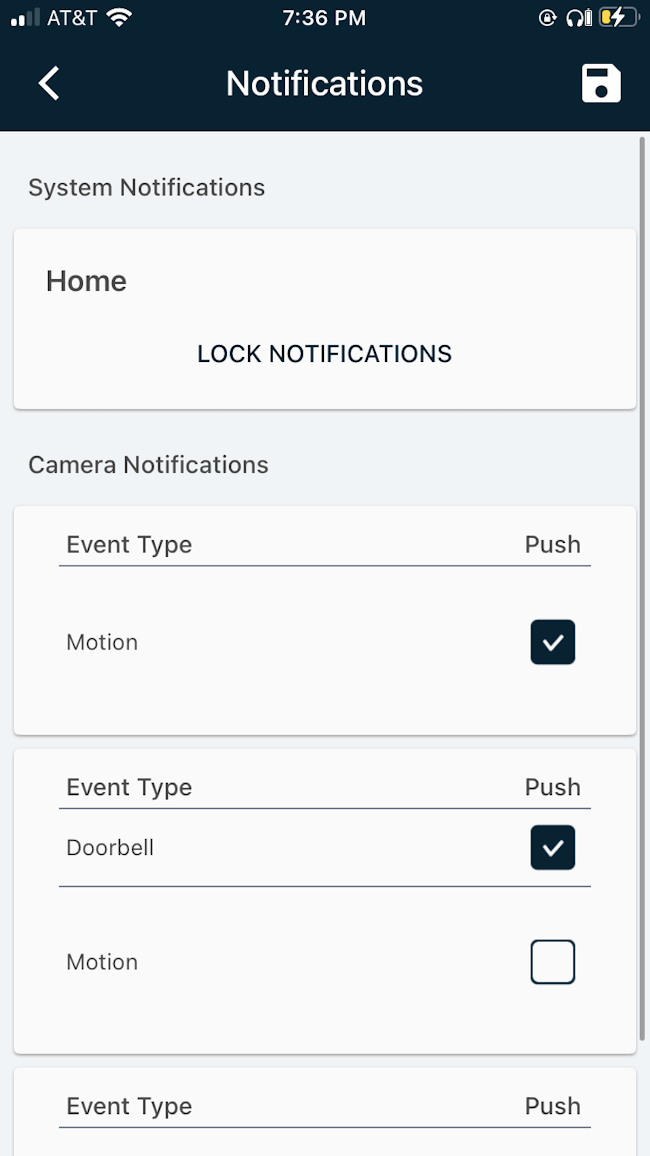
1. Customizable Notifications
The Cove Connect app allows users to customize their alerts based on specific events or scenarios. This means that users can set up alerts for when a specific door is opened, or if motion is detected in a certain area of their home. These alerts can be sent to the user's smartphone, allowing them to stay informed of any unusual activity in their home.
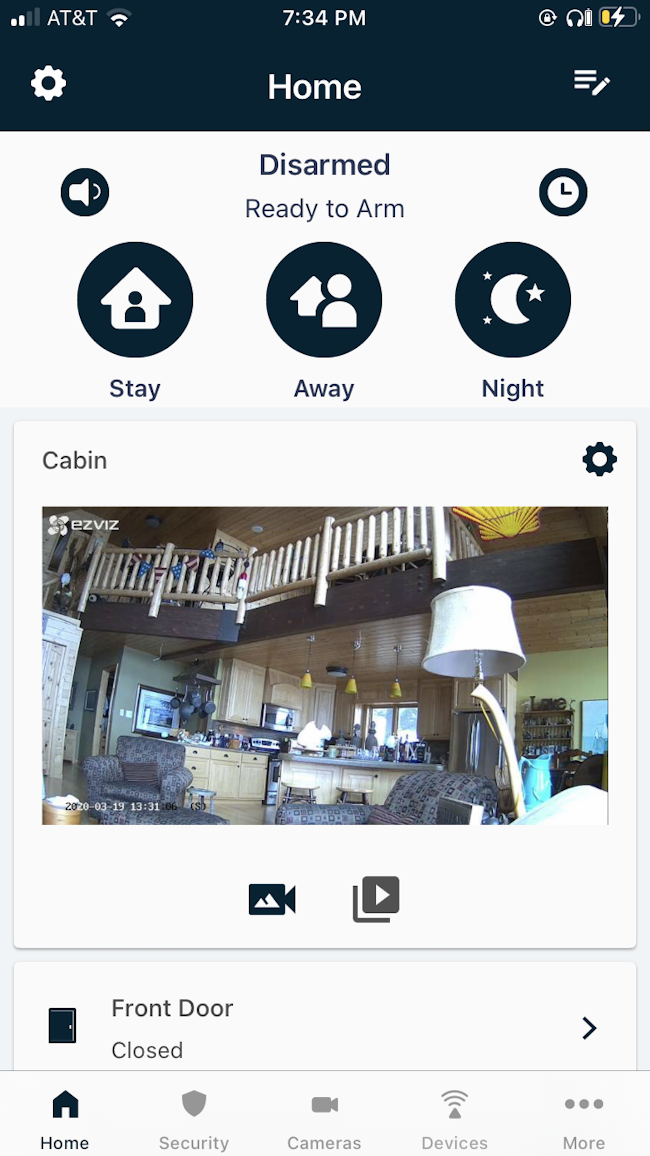
2. Remote Arming
The Cove Connect app allows users to control their home security system remotely from anywhere using their smartphone. This feature includes the ability to arm the system in “Night,” “Away,” or “Stay” mode.
With remote arming, a homeowner can easily arm their security system from anywhere using their smartphone or other device. This provides an added layer of convenience and peace of mind, as the homeowner doesn't have to worry about whether or not they remembered to arm their system. Additionally, remote arming can be useful in situations where the homeowner needs to leave their home unexpectedly, such as during an emergency or for a last-minute trip.
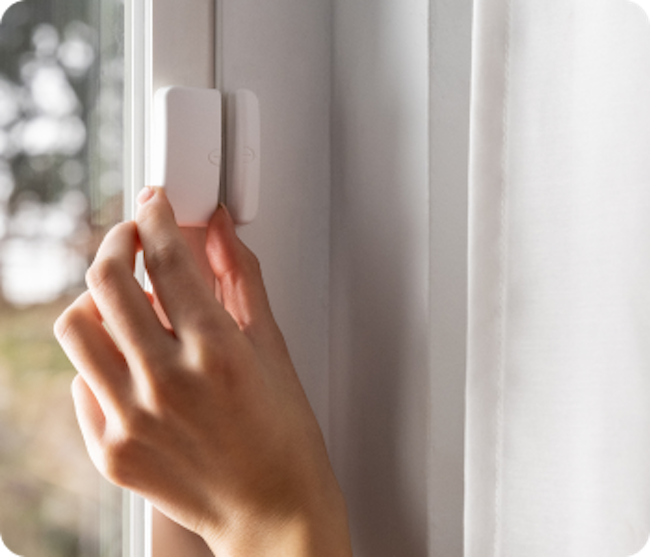
3. Adding and Deleting Sensors
The Cove Connect app includes the ability to add and delete sensors from the security system. Previously, users needed to call in to our customer support team or use the alarm panel to do this, but with our most recent launch, all of the adding and deleting functions can be handled quickly and easily from the app.
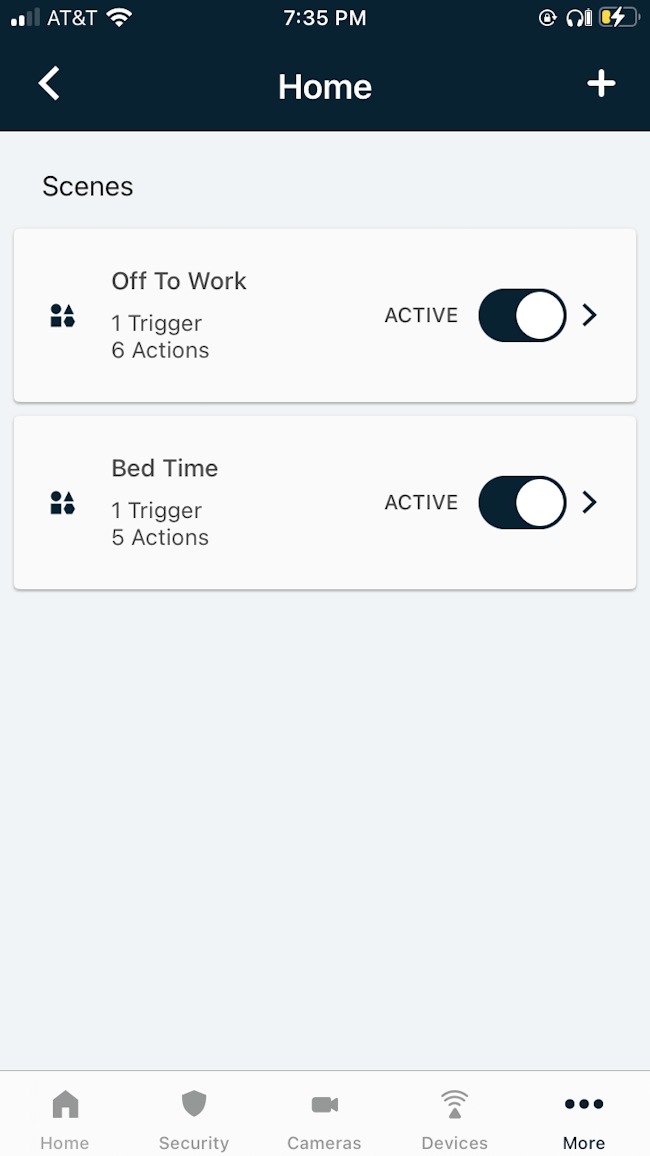
4. Scenes
This feature allows you to set custom routines for your day, such as “Every night at 9pm, arm my system in Night mode.” This is handy if you are absent-minded and often forget to arm your security system. Any scenes that you create can be easily edited or changed at any time.
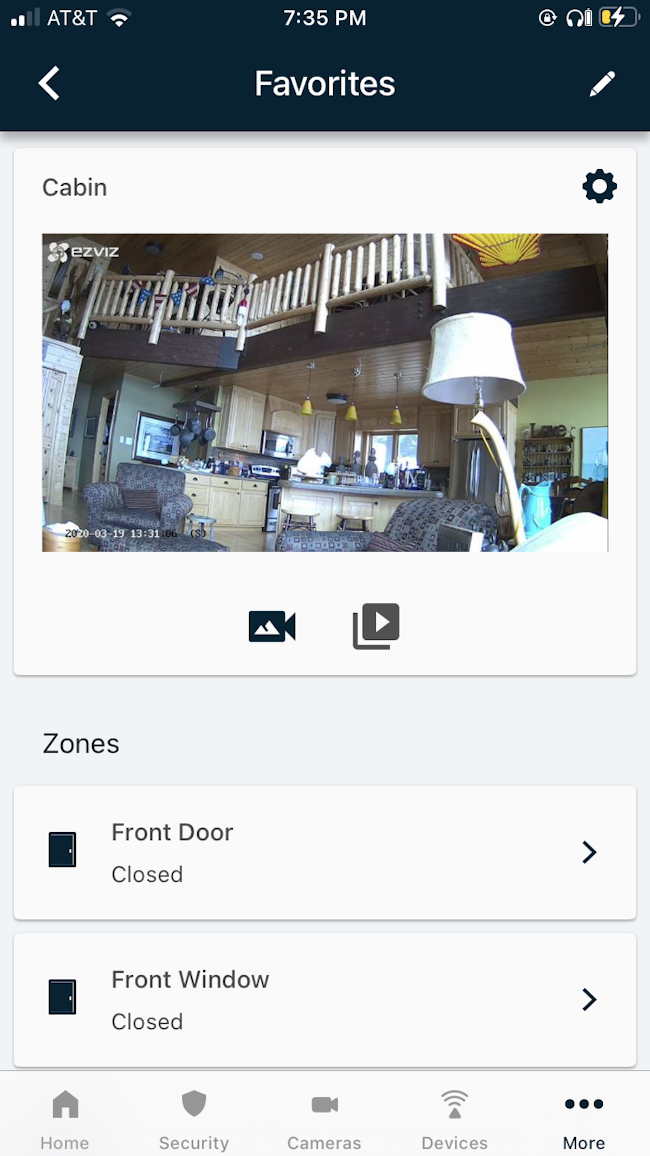
5. Favorites
The Cove Connect app is designed to be user-friendly, and it includes an option called “Favorites” that allows you to view certain scenes and pieces of equipment from your home screen. If you have sensors that you often need to check on or turn off, you can add them to your Favorites!

Ready to get started?
Take this short quiz to build your customized system today!
Take the QuizTakes less than a minute